Best Order Management Software for Small Businesses in 2026
Order management software can mean anything from an e-commerce platform’s order screen to a fully integrated manufacturing ERP. This list provides small businesses with an overview of the top OMS solutions and clarifies their uses.

Best order management software
Here are our top 8 order management solutions for small businesses in 2026.
1. MRPeasy – ERP system for small manufacturers and distributors
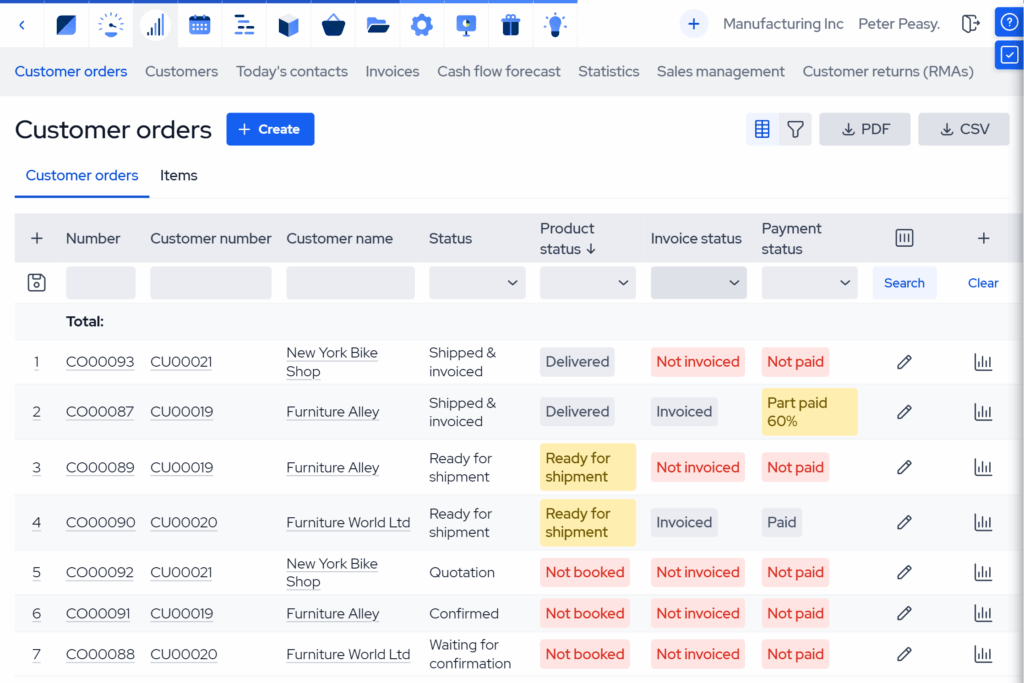
MRPeasy is a cloud-based manufacturing ERP purpose-built for small manufacturers and distributors that need order management tightly connected with inventory, purchasing, and production. It centralizes customer orders, automatically ties them to your BOMs (Bills of Materials), checks stock availability, and helps you easily plan what to make, when to make it, and what to purchase to always keep to deadlines.
Features
MRPeasy features a full order management system. Sales orders feed into inventory allocation and material requirements, so your team sees what’s available, what needs to be purchased, and what is being produced. It also calculates order costs and lead times based on real data, all before you promise a delivery date. It’s a consistent order-to-cash cycle equally suitable for distributors, e-businesses, as well as make-to-stock, make-to-order, or light custom work manufacturers.
MRPeasy’s functionality goes beyond many OMS tools, offering user-friendly yet advanced production scheduling, shop floor control, inventory optimization, and end-to-end traceability. You can manage multi-level bills of materials, routings and workstations, purchase orders (POs) and subassemblies, multiple warehouses, and basic CRM functionality. It also integrates natively with all the popular e-commerce, shipping, accounting, and workflow automation tools.
Pros & cons
Pros
- Strong fit for SMB manufacturers and distributors that need orders tied to production, stock, and purchasing.
- Clear, structured workflows that replace spreadsheet-driven order handling.
- Powerful production planning and scheduling tools, and end-to-end traceability.
- Easy-to-use and designed for self-implementation.
- Transparent, module-free pricing and predictable price tiers.
Cons
- Designed around best-practice workflows, leaving deep customization limited compared to enterprise-level ERPs.
- Some advanced integrations and extensions may require API work (Unlimited plan) or a partner.
Pricing and implementation
MRPeasy plans are priced per user, per month, with the option to pay monthly or annually (annual billing includes 1 month free). Pricing starts at $49/user/month (Starter) up to $149/user/month (Unlimited). For additional users beyond the first 10, seats are fixed at $69/month/10 users. MRPeasy has no module-based pricing, no contracts, and no hidden fees.
Implementation cost depends on how much help you want and how complex your workflows and integrations are. Most companies go live independently within 1–3 months, with the project manager spending 40-100 hours testing and setting up the system. For assisted implementations, MRPeasy offers an Authorized Consultant Program. Full implementation projects range between $10-20k on average.
What users say
MRPeasy gets high praise for being a practical “single source of truth” that integrates sales orders, inventory, purchasing, and production & materials planning in an easy-to-use interface. Reviews mention fast adoption, logical workflows, a great price-to-performance ratio, and responsive support, especially for teams moving away from spreadsheets and patchwork tools.
The system’s only consistent criticisms lie in flexibility around edge-case workflows. Some reviewers mention a desire for more adjustable processes or a smoother UX in certain areas. A few also point out that some operational steps are geared toward learning MRPeasy’s workflow rather than molding the system to existing habits.

2. Zoho Inventory – affordable order & inventory hub for multi-channel sellers
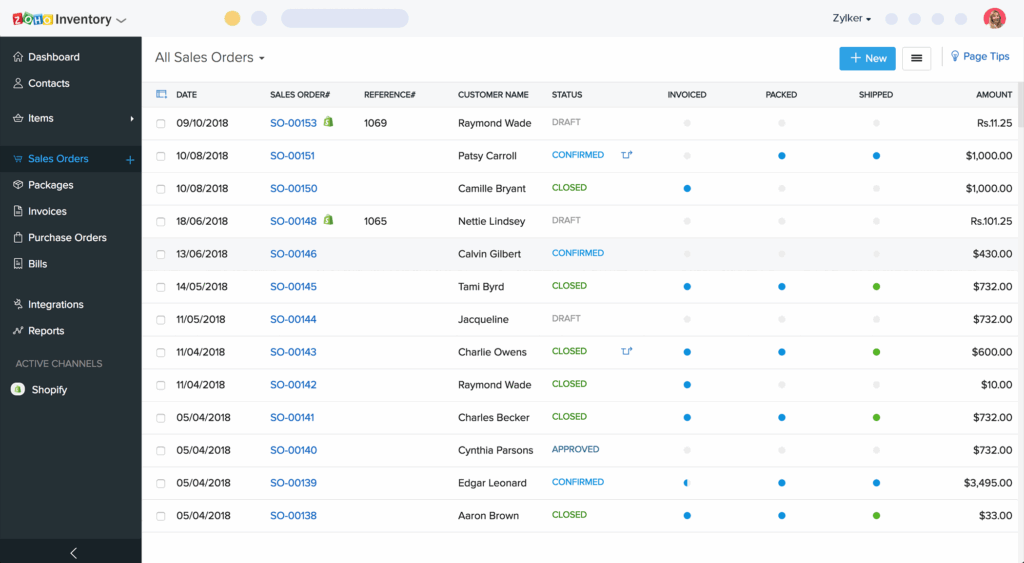
Zoho Inventory is a lightweight order and inventory management tool built for small businesses that sell across many channels and want tighter control than spreadsheets. It’s especially common among teams already using Zoho (Books, CRM, etc.) and looking for a straightforward way to track orders, stock, and shipping documentation.
Features
Zoho Inventory focuses on the “operations layer” between sales and fulfillment: sales orders, invoices, packing slips, shipping labels (via integrations), and stock availability across locations. It supports reorder points, basic automation, and multi-channel workflows like syncing orders and inventory with popular e-commerce marketplaces.
For distributors and simple wholesalers, Zoho Inventory covers the essentials without the overhead of a full ERP. Where it falls short for manufacturers is its depth of production planning. You can manage items, bundles, and basic purchasing signals, but it’s not designed to convert orders into manufacturing workflows with BOMs, routings, and shop-floor execution.
Pros & cons
Pros
- Low barrier to entry for SMBs, with a free tier and clear plan levels.
- Strong fit if you already use Zoho apps and want a connected stack.
- Good coverage of documents (sales orders, invoices, packing slips) for simple operations.
Cons
- Not a production-focused solution (limited manufacturing planning depth).
- Some teams report that integrations can act “temperamental” depending on channel setup.
- As workflows scale, you may hit limits tied to order volumes, users, and locations.
Pricing and implementation
Zoho Inventory offers transparent, plan-based pricing, billed per organization, not user. It has usage limits based on monthly order volume. Pricing starts with a Free plan, which offers limited order and user counts. Paid plans range from $29/month (Standard) to $249/month (Enterprise) when billed annually. Paid add-ons are available to boost user counts, order bundles, and multi-location support.
Zoho’s implementation costs are typically low, especially when migrating from spreadsheets. Bringing the system up often takes a few weeks to a couple of months, depending on your SKU (Stock Keeping Unit) count and channel integrations. If you need complex automations or custom integrations, onboarding can be more expensive and may require Zoho specialists.
What users say
Users often praise Zoho Inventory for helping them get organized quickly. It offers clear stock visibility, smoother document flows, and a more structured order-to-ship process than spreadsheets. Many also highlight the value of the broader Zoho ecosystem, especially if using Zoho Books or CRM alongside.
Common complaints include sync issues with sales channels, a UI that often feels cluttered, and, at times, slow customer support. Some reviewers also mention that scaling can expose workflow friction under heavier volume.
3. Shopify – built-in order management for e-commerce and omnichannel retail ops
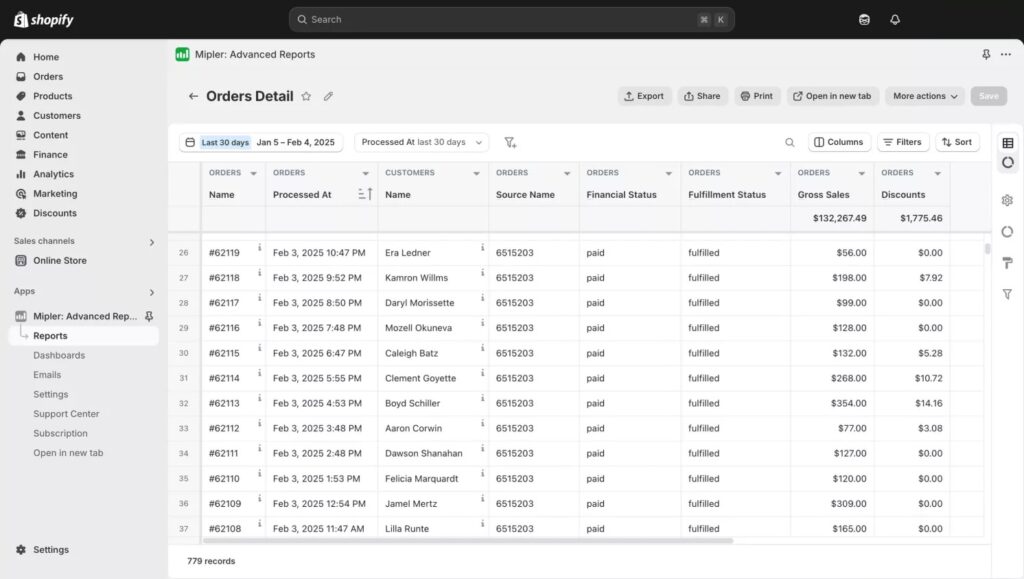
While Shopify is primarily an e-commerce platform, it can function as the “default” order management hub for many small businesses. It captures orders, tracks fulfillment status, and keeps simple inventory in sync across online and in-person sales (with Shopify POS).
Features
Shopify excels at order capture and customer-facing commerce. It has bulletproof features for checkout, payments, order status tracking, and multichannel sales. For fulfillment, it offers shipping labels and shipment tracking with more advanced capabilities available through a huge app ecosystem.
For manufacturers and distributors, Shopify typically works best as the storefront while order and inventory complexity live elsewhere. Once you have multi-warehouse allocation, production dependencies, or structured purchasing needs, Shopify is built to function as the front end to your operational system of choice.
Pros & cons
Pros
- Very fast to launch and easy to run day-to-day for online selling.
- Strong built-in order visibility and customer communication.
- Huge ecosystem of apps for fulfillment, returns, subscriptions, and more.
Cons
- Not designed for production planning, manufacturing execution, purchasing, or advanced inventory management.
- Total cost can rise significantly with apps, payments, and add-ons.
- Advanced workflows like B2B-sales or production syncing typically require higher plans.
Pricing and implementation
Shopify pricing is public and plan-based. Core plans start at $29/month (Basic) and end with $299/month (Advanced) when billed annually. The enterprise-tier Shopify Plus starts at around $2,300/month and is available as a longer-term commitment.
Implementation cost ranges from near-zero for a basic store to tens of thousands for custom themes, data migration, and complex integrations, especially if you’re connecting Shopify to an ERP/MRP, WMS (Warehouse Management System), or 3PL stack.
What users say
Shopify is renowned for its usability and speed. It’s straightforward to launch, manage orders, run promotions, and the overall experience is among the most polished. It’s also known for the platform’s reliability and the breadth of its integrations ecosystem.
Common criticisms are mostly cost-related – apps add up quickly, and higher tiers can feel like big jumps. For more complex operations, Shopify’s out-of-the-box features remain limited, and many businesses end up relying heavily on third-party apps to fill gaps. Support feedback is mixed.
4. Veeqo – free order and shipping workflow for e-commerce sellers
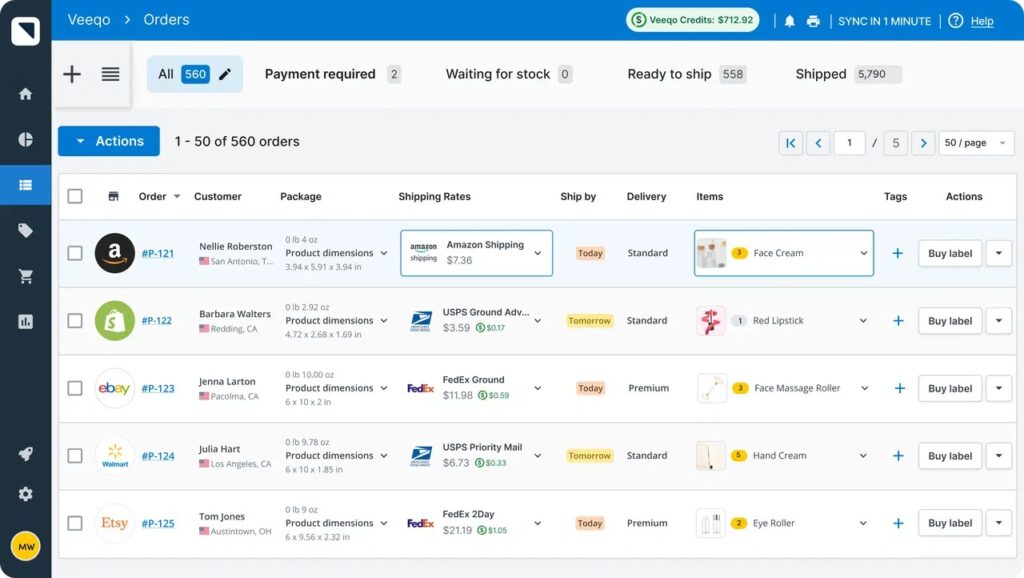
Veeqo is an Amazon-owned multichannel order fulfillment and shipping platform built for e-commerce brands that want a centralized place to pull in orders, manage picking and packing, and buy shipping labels. It’s positioned as a lightweight OMS for online sellers, useful when you need more control than your storefront alone, but don’t need (or aren’t ready for) a full ERP.
Features
Veeqo syncs orders across channels (Shopify, WooCommerce, online stores, etc.) into a single dashboard and provides key features like picking lists, packing slips, batch label printing, carrier rate comparisons, and shipment tracking. It also adds practical tools like saved orders, tags & queues, and smart order routing (allocating orders to the closest location with available stock).
It’s one of the few tools in the “e-commerce native OMS” bracket that, unlike industry staples like ShipStation, offers an optional paid inventory/warehouse layer. This makes it a decent fit for smaller D2C and multichannel sellers who need reliable stock syncing and are comfortable with a very basic inventory management system. It’s not designed for inventory optimization, production planning, or MRP workflows.
Pros & cons
Pros
- Strong fit for multichannel e-commerce operations that need order visibility & shipping workflows.
- Free core platform for shipping/order workflow, especially attractive for microteams.
- Helpful warehouse features like pick lists, routing, and inventory syncing (with add-ons).
Cons
- Inventory control lacks depth, and there are very few inventory optimization features.
- Marketplace coverage and integrations can be uneven depending on channel setup.
- Reviews bring up occasional bugs and support inconsistencies.
Pricing and implementation
Veeqo markets its core shipping/order workflow as free, with unlimited users and unlimited shipments. Inventory management is offered as an add-on starting from $19/month. The pricing is relatively transparent on Veeqo’s site, but as with many shipping tools, the real cost will also depend on carrier rates, label spend, and any third-party integrations you add.
Implementation is usually quick for standard storefront connections (often just a few days). Costs and complexity arise when migrating a larger SKU catalog, setting up multi-warehouse routing rules, or using external tools to connect to less-common channels.
What users say
On review platforms, Veeqo gets high scores for being easy to learn and practical for the fulfillment team, especially for multichannel order visibility and day-to-day shipping efficiency. Positive reviews frequently mention fast onboarding, useful views & filters, and solid shipping workflows once everything is connected.
Criticism tends to concentrate on reliability and edge cases. Some report software bugs, missing features for certain channels, or friction with marketplace integrations. Support-wise, some reviewers describe slow resolution times or difficulty getting more complex issues fixed.
5. Unleashed Inventory – stock-centric order management for small operations
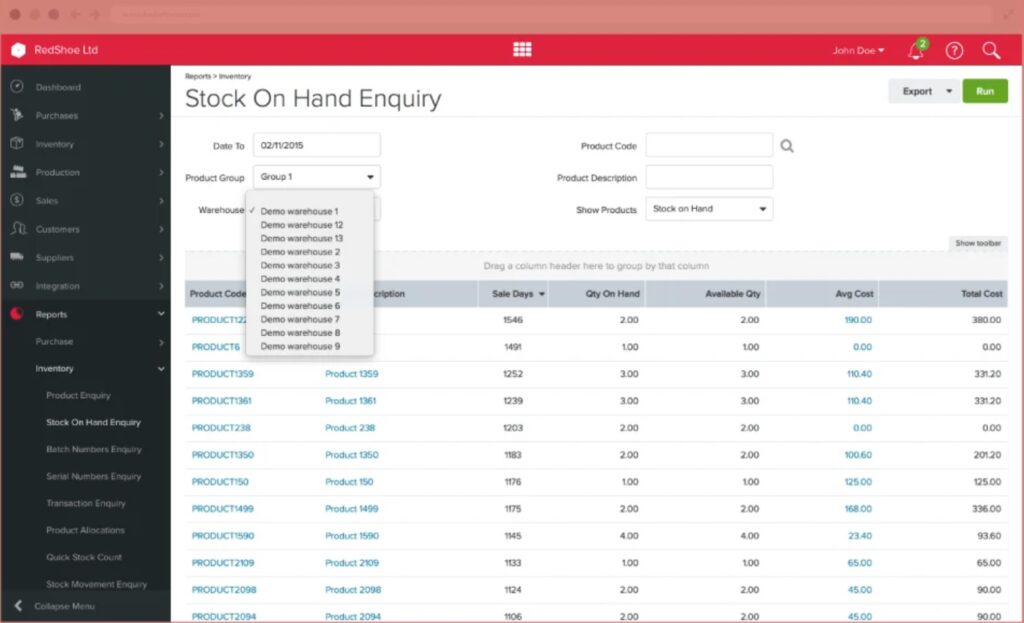
Unleashed is a cloud inventory and order management platform aimed at wholesalers, distributors, and product businesses that need tighter stock control across purchasing, sales, and fulfillment. It’s more inventory-centric than a pure OMS, but it covers the core order workflows well and is especially relevant for businesses managing multiple warehouses, B2B orders, and backorders.
Features
Unleashed’s order management capabilities are built around strong inventory visibility that accounting software alone couldn’t manage. It supports sales orders, quotes, shipments, backorders, allocations, pick lists, customer-specific pricing, and more, while also tying orders into purchasing and replenishment workflows. For B2B sellers and distributors, that makes it useful as a central operational layer between demand, stock, and fulfillment.
The platform is particularly adept at tying order management with warehouse control. It includes multi-warehouse control, warehouse transfers, batch and serial tracking, and optional extras for multi-bin and warehouse management. Unleashed also offers manufacturing-related add-ons like BOMs, assemblies, and production planning, available on Unleashed’s Pro package or as add-ons.
Pros & cons
Pros
- Strong inventory visibility across multiple warehouses.
- Good B2B order controls, including quotes, pricing tiers, backorders, and allocations.
- Useful inventory-tracking features, such as batch and serial-number traceability.
Cons
- Several essential features are paid add-ons rather than standard features.
- The interface can be rigid or dated compared to some providers.
- Order workflows and barcode-related tasks can feel clunky in places.
Pricing and implementation
Unleashed’s Core plan starts at $399/month, providing access to 3 users and 100 sales orders/month. while Pro is priced at $729/month and includes 5 users and 300 sales orders/month. Additional users, sales orders, integrations, and features such as manufacturing, CRM, and advanced inventory tools can increase the monthly cost, so the total price can climb considerably depending on the scope.
Implementation is usually lighter than a full ERP rollout, but it still depends on product data quality, warehouse setup, integrations, and process complexity. For businesses migrating from spreadsheets or basic stock systems, setup is often manageable in-house, but multi-location businesses with advanced workflows or more specific needs should expect a structured rollout.
What users say
Users generally praise Unleashed for its accurate inventory control, real-time stock visibility, and its help in greatly reducing spreadsheet work. Reviews also highlight a pleasant customer experience, cloud accessibility, and solid support for multi-warehouse inventory and order handling.
The most common complaints revolve around the system’s flexibility. Some reviewers say the interface feels outdated, customization is limited, and certain workflows, especially barcode scanning and order handling, can take more effort than expected. Some functions requiring add-on modules or extra setup work are also a point of friction for some users.
6. Statii – job-shop ERP/MRP with affordable user pricing
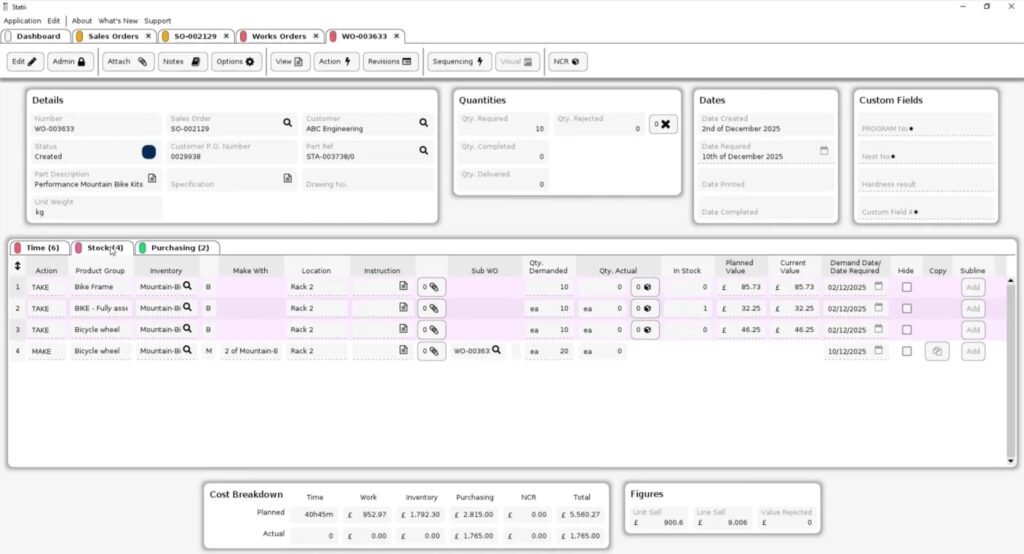
Statii is UK-based job-shop management software designed for small manufacturers that require quoting, work orders, and production tracking without the complexity of a large ERP. It’s preferred by engineering, fabrication, and project-based manufacturing teams.
Features
Statii’s strengths lie in workflow control from quoting to invoicing, with visibility into work orders, order progress, and stock usage. Many businesses use it to replace their spreadsheet system for job tracking and production scheduling, and to standardize documentation across departments.
Compared to more feature-rich ERPs, Statii is narrower and job-shop-oriented in scope. It’s a good tool for smaller shops, but you may eventually outgrow it if you need deeper supply chain planning, make-to-stock workflows, or a more integrated distribution or manufacturing workflow across multiple warehouses and channels.
Pros & cons
Pros
- Affordable for small manufacturers.
- Strong support reputation and quick response times.
- Clear job tracking workflow from quote to invoice.
Cons
- UI and dashboard aesthetics are a common complaint.
- Some workflows (multi-department work orders, mixed buy/make items) can be clunky.
- Accounting integration is external rather than providing native “full accounts”.
Pricing and implementation
Statii keeps its pricing simple. Main users are £57.50/month for full system access, while shop floor users are £8.50/month (time capture and basic shop-floor actions). It’s month-to-month with no long-term commitment.
Implementation complexity is usually moderate, reflecting the highly custom nature of job shop manufacturing. You’ll need to set up parts, routing-style steps, and templates, but many small job shops get live relatively quickly if the data is clean.
What users say
Users frequently praise Statii for its usability and great support. Many reviewers highlight the platform’s easy-to-learn, easy-to-use interface that helps them see job statuses end to end. It also earns high marks for value for money, especially for smaller teams moving away from spreadsheets.
Weaknesses mentioned in reviews include UI polish, occasional bugs, and specific workflow friction, like editing sales orders, work orders spanning multiple departments, and some subcontracting flows. Some users also want tighter native accounting capabilities rather than having to rely on external accounts packages.
7. Brightpearl – order and inventory operations for fast-growing retailers and wholesalers
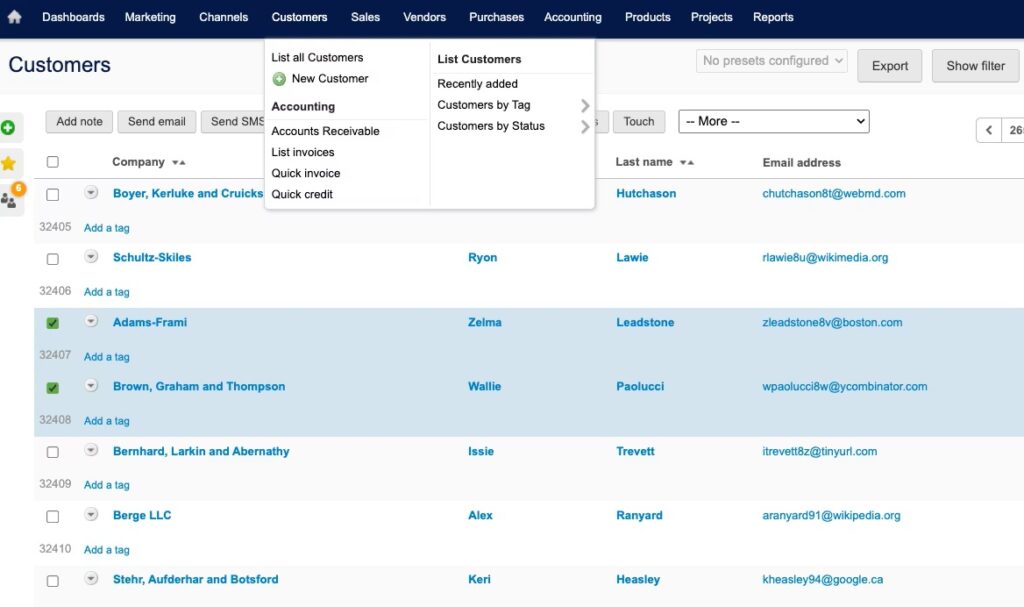
Brightpearl by Sage is a retail- and wholesale-focused operations platform that combines order management, inventory, warehousing, and optional accounting in a single system. It’s built for seller businesses that process high order volumes across multiple channels and need automation to keep fulfillment fast and consistent.
Features
Brightpearl’s core strength is multichannel order flow. Orders are pulled in from connected sales channels, inventory is allocated, and fulfillment tasks are orchestrated with rule-based automation. It supports a bunch of “real-world” OMS scenarios like backorders, order splitting, partial fulfillment, dropshipping, and multi-location inventory.
Brightpearl adds operational depth for teams that outgrow basic storefront order screens. There are barcode-driven pick/pack/ship workflows, returns handling, and integrations for shipping, 3PLs, and major e-commerce platforms. However, it lacks consistent inventory optimization workflows, procurement management, and production planning.
Pros & cons
Pros
- Strong multichannel OMS for retail & wholesale: routing, splitting, partials, dropship, and backorders.
- The automation engine can eliminate many repetitive order-processing and fulfillment steps.
- Unlimited users included (no per-seat fees), especially attractive for larger teams.
Cons
- Pricing is quote-based and can be a bigger step up than many SMB-first tools.
- Implementation is typically guided (not “DIY in a weekend”) and requires upfront project ownership.
- Some report the UI feels dated and that certain workflows need careful rule setup to run smoothly.
Pricing and implementation
Brightpearl’s pricing is not published as fixed tiers. Pricing is “tailored to your business.” User counts are unlimited, and packages are based largely on your order volume and required functionality. You’ll receive a scoped plan and cost breakdown as part of the solution proposal process.
Implementation is positioned as expert-led, with Brightpearl providing a fixed-cost quote before contract and an average go-live timeline of about three to six months. In practice, total cost varies widely depending on your channels, data entry and migration needs, integrations, and warehouse complexity. This makes Brightpearl more of a “mid-market OMS platform” rather than a low-cost entry tool.
What users say
Users frequently praise Brightpearl for bringing order processing, inventory, and fulfillment into a single operational workflow, especially for multichannel businesses that want to reduce manual admin. Reviews often highlight automation, real-time inventory syncing, and better control over backorders and fulfillment as the biggest wins once the system is configured.
The most common negatives relate to implementation and expectations. Some reviewers report that certain features or integrations didn’t behave as promised without extra configuration, and that setup quality matters a lot. A dated interface is also mentioned, along with occasional bugs or sync delays with third-party platforms. Finally, users note that Brightpearl relies on you investing time in building the right automation rules to handle complex order scenarios cleanly.
8. Microsoft Dynamics 365 Business Central – an ERP-first order management option
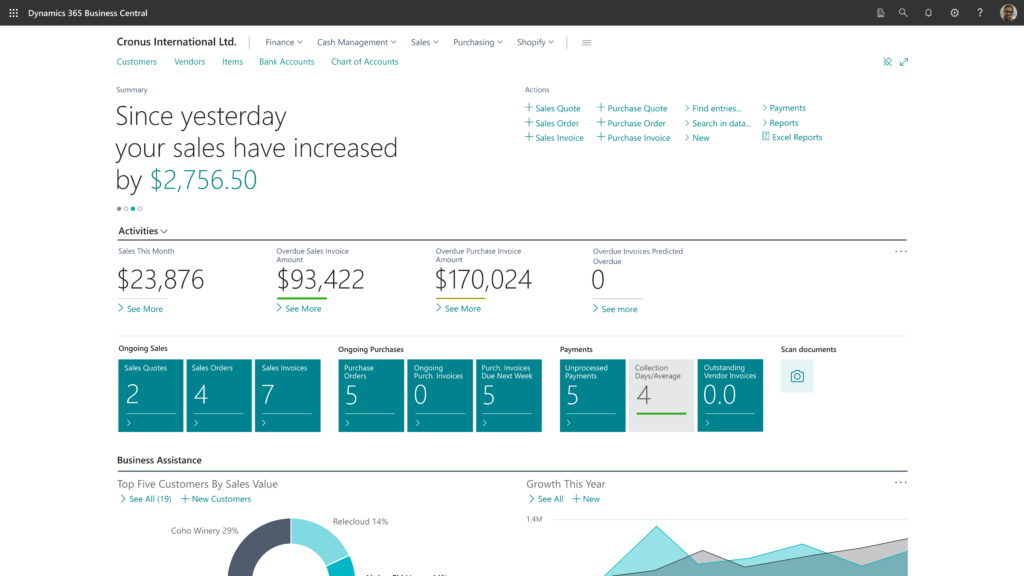
Microsoft Dynamics 365 Business Central is a cloud ERP for small and midsize businesses that want order management tied to finance, purchasing, inventory, and other operations. It handles sales orders, fulfillment, purchasing, and warehouse workflows well, once fully deployed. But it’s a full-scale ERP with built-in order management rather than a dedicated OMS.
Features
Business Central supports the core quote-to-cash process well. You can manage sales orders, partial shipments, returns, drop shipments, item reservations, and order picking and shipping. It also provides good inventory visibility and purchasing workflows, helping teams connect order intake with stock availability and replenishment.
Where it goes beyond a standard OMS is in its ERP depth, being designed as a full business integration system. On the Premium plan, Business Central also adds manufacturing capabilities, enabling you to connect orders with production planning. That said, this wide scope also makes it heavier to implement and more dependent on configuration and partner support than most SMB-focused systems.
Pros & cons
Pros
- Strong order management coverage inside a broader ERP environment.
- Good fit for companies already invested in the Microsoft ecosystem.
- Supports more advanced order scenarios like partial shipments, returns, and drop shipments.
Cons
- More complex and implementation-heavy than SMB-oriented order management tools.
- Pricing and licensing are less straightforward once you factor in plans, add-ons, and partner services.
- Customization and reporting mostly require specialist support.
Pricing and implementation
Business Central uses per-user pricing with multiple license levels. Official pricing currently starts at $80/user/month for Essentials and $110/user/month for Premium, both billed annually. As mentioned, manufacturing capability is only included in the Premium tier.
Implementation costs vary widely and depend on data migration, integrations, reporting needs, and workflow complexity. In practice, Business Central is usually a partner-led ERP rollout rather than a self-implementation project. Timelines often stretch over several months, and costs can add up to hundreds of thousands.
What users say
Business Central receives positive ratings for its ability to unify sales, inventory, purchasing, and finance into a single system. Also highlighted are its strong Microsoft integration, solid reporting potential, and good scalability for growing businesses.
The most common complaints revolve around the system’s learning curve, cost, and complexity. The platform is powerful, but getting the setup right can take time, training, and outside help. This makes it a less approachable option for smaller companies that mainly want straightforward order, inventory, and production control.
What is order management software?
Order management software (OMS) helps businesses manage various aspects of the order lifecycle. Simpler systems provide a purpose-built alternative to spreadsheets or manual methods. They help track orders, store customer data, and align inventory with your e-commerce apps. More advanced solutions integrate the order management process with the broader supply chain, providing real-time inventory sync, automating replenishment, streamlining production scheduling, and more.
Put simply, an order management system centralizes and automates order management to shorten the order-to-cash cycle and reduce the manual friction of running orders across inventories, production, warehouses, suppliers, and fulfilment methods.
Depending on the solution and its scope, an OMS typically includes features like:
- Order capture from various sales channels, validation, and status tracking;
- Inventory visibility and allocation;
- Picking, packing, and shipping workflows;
- Purchasing and replenishment signals to prevent stockouts and overselling;
- Customer data management (things like custom price lists, shipping preferences, contact info);
- Returns management or a full RMA (Return Merchandise Authorization) system;
- Basic analytics and operational reporting (orders, inventory, fulfilment).
As you can see, an OMS might have some or many things in common with other types of business software, like a CRM system, inventory software, or supply chain management software. Fully integrated solutions compile all this functionality into a manufacturing ERP system.
Why do I need order management software?
If you process orders using spreadsheets, emails, or other disconnected apps, you are almost certainly struggling with two things: visibility and integration. There’s no sales pipeline to provide real-time visibility into order statuses, and every change needs to be reconciled manually. The costs of this show up (or oftentimes, stay hidden) as late shipments, overselling, missed purchasing windows, or “we’ll get back to you” customer service.
Order management tools rectify this by standardizing workflows, automating shipping steps, and providing a central point for order status and inventory availability:
- With an OMS, there’s no more chasing order updates across disconnected apps. Orders and changes flow through a consistent process from quote/order creation to fulfilment, shipping, and invoicing.
- Everyone always works from and with the same version of truth. That means fewer mistakes, less miscommunication with handoffs, and much less time spent reconciling changes after the fact.
- You also gain real-time control over availability and fulfillment decisions. As the OMS ties inventory, purchasing, and shipping into the same record, the risk of overselling and missing replenishment drops significantly. Metrics like on-time delivery, on the other hand, will almost certainly see a boost.
Tips on choosing the right order management tool
The best OMS for one company can be completely wrong for another. The first thing to get right is scope. Some businesses only need a cleaner way to capture, track, and fulfil orders across sales channels. Others need incoming orders linked to inventory, purchasing, warehousing, production, or accounting. If you mainly sell finished goods online, a fulfillment-first tool may be enough. But if customer orders should automatically drive replenishment, capacity planning, or manufacturing, you will usually need something closer to an ERP or MRP system.
The complexity of implementation should definitely also be part of your decision-making process. Some solutions can be up and running in days, while others are more like a full business refresh that will reshape your entire operation. Related to this is the total cost of ownership (TCO) of a software. Subscription pricing is just the first layer. There are onboarding fees, integration work, support costs, add-ons, and the time your team must invest to bring a system online. Oftentimes, a platform that offers an affordable subscription can easily become more expensive if it depends on multiple third-party apps or manual workarounds.
You should also think carefully about scalability. Consider where your business will be in two or three years. The right system should not only solve today’s order bottlenecks, but also support higher order volumes, more SKUs, more users, more locations, or more operational complexity without forcing you into another system migration too soon.
How we rank these tools
We built this list to reflect the range of ways in which small businesses use order management software in practice. Simple ecommerce businesses just need an order and shipping hub, while wholesalers require inventory and warehousing-oriented software solutions. And some, especially manufacturers and distributors, need order management to connect directly with their purchasing, stock control, and production planning. That’s why we included a mix of lightweight OMS tools, commerce-native platforms, inventory-centric systems, and broader ERP options.
In evaluating each tool, we looked at order management depth, ease of use, pricing transparency, implementation effort, integration options, and how well the system supports real operational workflows as a business grows. We deliberately favored software that represents a distinct type of solution rather than filling the list with near-identical solutions. For small manufacturers and distributors in particular, the highest value tends to come from systems that go beyond order status tracking and capture, tying orders directly to inventory, purchasing, and production execution. That’s why more integrated platforms tend to stand out when operational complexity starts increasing.
Frequently asked questions (FAQ)
An OMS focuses on capturing orders, order tracking, and fulfilling orders across sales channels. An ERP is broader software that connects order management with other business functions such as accounting, purchasing, inventory, production, and reporting. In short, an OMS manages the order flow, while an ERP can manage the wider business process around it.
The best order management software for small businesses depends on your operations. For manufacturers and distributors, integrated ERP systems like MRPeasy often make the most sense because they connect orders with inventory, purchasing, and production. For e-commerce sellers and retailers, tools like Veeqo or Brightpearl may be a better fit depending on fulfillment needs. The right choice comes down to your workflow, budget, and expected growth.
Order management is the process of receiving, tracking, fulfilling, and completing customer orders. Inventory management is the process of tracking stock levels, movements, locations, and replenishment. The two are closely related because every order affects inventory availability, but they are not the same thing. Inventory management controls what you have in stock, while order management controls how customer demand is processed and fulfilled.
Implementation time depends on the scope of the system and the complexity of your workflows. A simple order management tool for e-commerce or retail can often be set up in a few days or weeks, while an ERP rollout may take several months. Data cleanup, integrations, staff training, and process changes usually have the biggest impact on timing. For most small businesses, implementation is faster when requirements are clear, and the system matches the company’s real operational needs.
You might also like: Purchase Order Management Guide for Growing Businesses
Get manufacturing know-how delivered to your inbox!